Alert channels let you get alert notifications when a check or monitor fails. Learn more about alerting in our docs.Documentation Index
Fetch the complete documentation index at: https://checkly-422f444a-guolau-add-missing-cli-constructs.mintlify.app/llms.txt
Use this file to discover all available pages before exploring further.
Common properties
All alert channels share a set of common properties to define when / how they should alert derived from the abstract classAlertChannel.
Configure common alert channel properties:
| Property | Type | Required | Default | Description |
|---|---|---|---|---|
sendRecovery | boolean | ❌ | true | Send notifications when checks recover |
sendFailure | boolean | ❌ | true | Send notifications when checks fail |
sendDegraded | boolean | ❌ | false | Send notifications when checks degrade |
sslExpiry | boolean | ❌ | false | Send notifications for SSL certificate expiry |
sslExpiryThreshold | number | ❌ | 30 | Days before SSL expiry to send notification |
alertChannels array.
To assign alert channels to CheckGroupV2 constructs, you’ll also need to set the alertEscalationPolicy to enable the group alerting override.
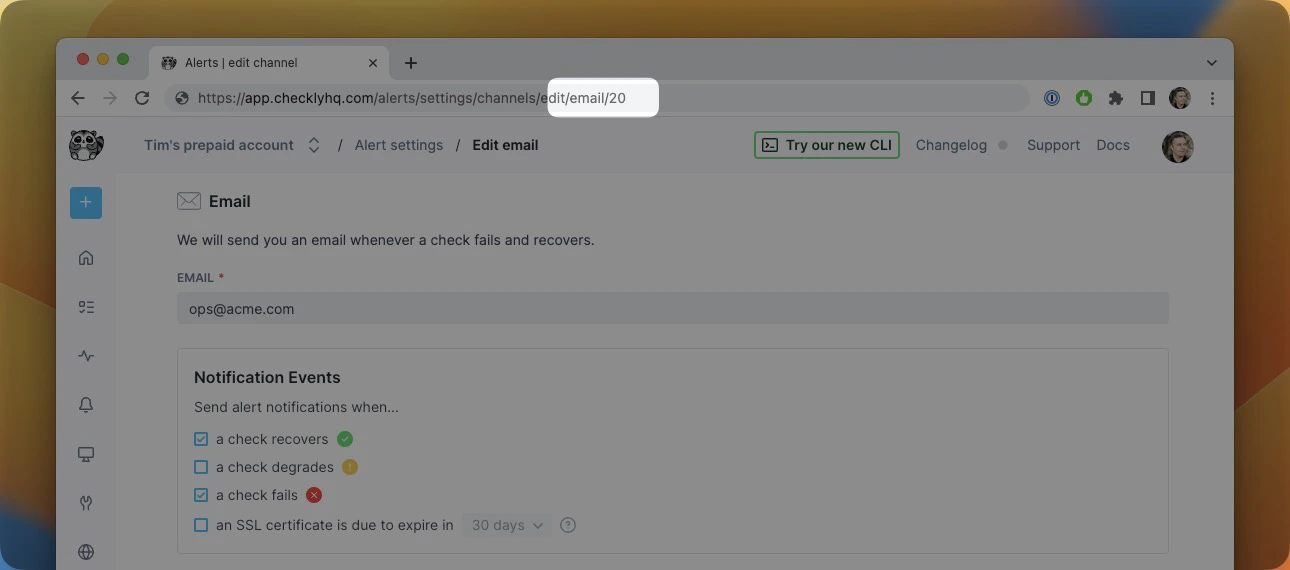
Using fromId() to reference an existing channel
You can reference an existing alert channel in your Checkly account using the fromId() method on any AlertChannel
class. When your CLI project is responsible for creating and managing alert channels, it integrates seamlessly with Checkly’s deployment control mechanisms. This ensures that any changes made are thoroughly validated.
For users with multiple Checkly CLI projects:
- Alert channels can be set up through the Checkly UI or any other method, ensuring they remain intact and unaffected by individual CLI project operations.
- The entire process of creating and subscribing to alert channels can be handled within that single project. This is made possible because the project references the logical ID of the alert channel, rather than an ID generated post-deployment.
If you attempt to deploy a project that references alert channels which have been removed or are no longer valid, the deployment process will not proceed. This feature helps maintain the integrity and reliability of your monitoring and alerting setup.